
For architecture and interior design studios

Every revision — documented, approved and its financial impact made clear.

Layro is the workspace between designer and client: the discussion is tied directly to the drawing, changes are documented and approved, and anything beyond the original scope can carry a variation cost agreed before the work is done.

Create a free account

Free plan forever, no card required. Your client never needs an account.

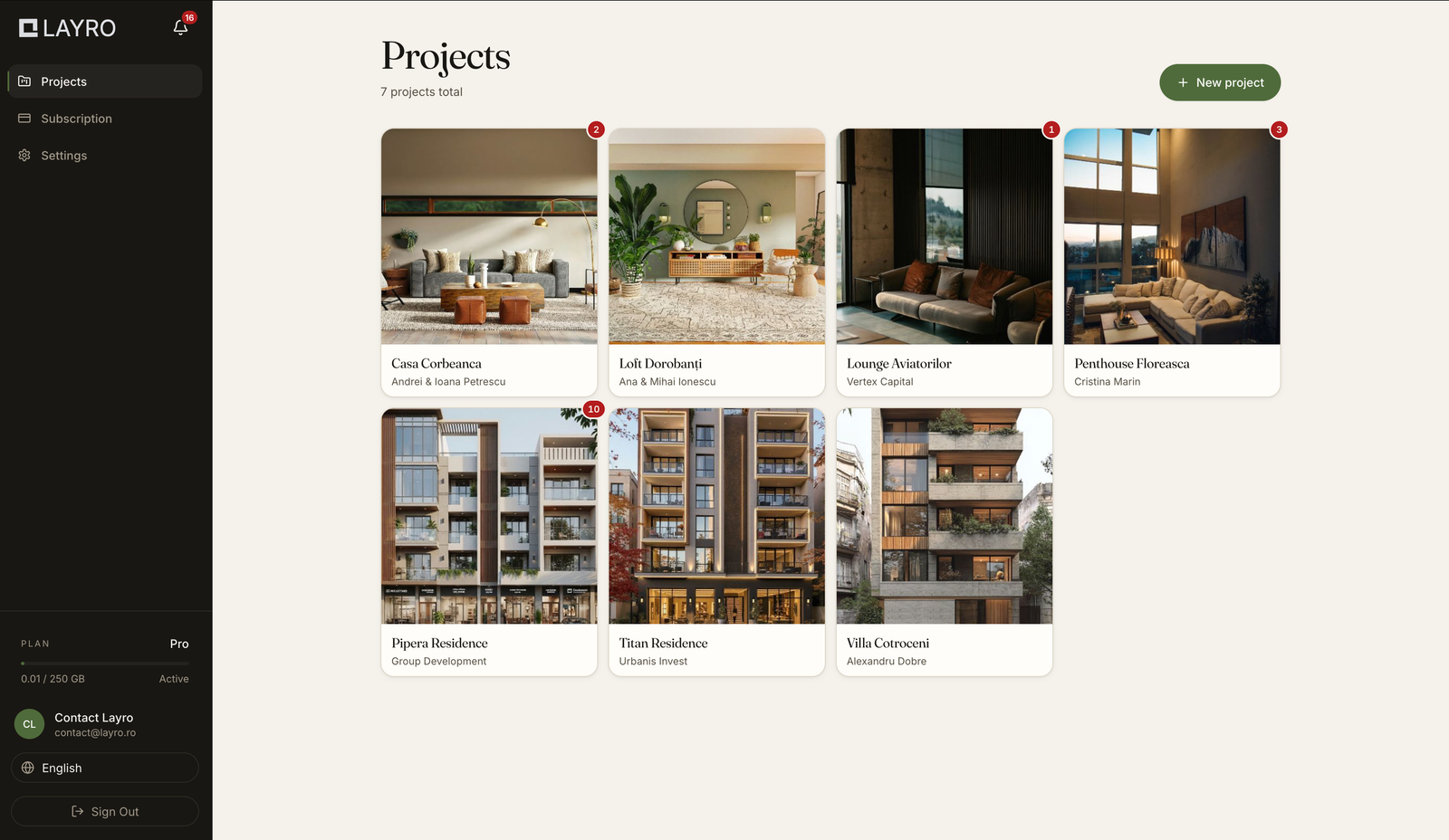
app.layro.ro / projects
The project list in Layro
  • Discussion pinned to the drawing
  • File versions
  • Named approvals
  • Variation costs
  • Minutes
  • Phase sign-off
  • A record of every action
  • Client portal
  • Notifications and a daily report
  • Architecture and interior design

What projects actually look like

How much extra work gets lost in a project?

The process looks like it works: you discuss it with the client, you implement the changes, and the project moves on. The loss never shows up all at once — it accumulates, a little at a time, on every project.

  1. Feedback scattered everywhere

    “Let’s revisit the windows” in a message, a drawing marked in red over email, a remark made on the phone. The information exists, but nothing ties it to the drawing, the version or the decision.

    Effect you search, you interpret, and often you redo.

  2. Approvals that were only ever spoken

    The client says “looks good, carry on”, but the decision rarely ends up documented. Three weeks later: “that isn’t what I approved”.

    Effect rework and arguments you can no longer settle with a clear record.

  3. “Just one small change”

    Extra requests arrive one at a time. Each looks minor, and none seems to warrant a conversation about cost. Together, though, they can mean days or weeks of work that were never budgeted.

    Effect the extra work only becomes visible once time has run short.

  4. The conversation about variation costs comes too late

    The change gets implemented, and the extra cost is only discussed at the end. At that point you are no longer setting the value of the work before it is done — you are trying to justify a cost for work already delivered.

    Effect part of the extra work goes unpaid.

In short

You work more than you invoice.

How it works

The full flow, from creating the project to closing the phase

Layro follows the way a design contract actually runs: in phases, one active at a time, each closed by the client’s approval.

01

Create the project and add its first phase

Pick the type — architecture or interior design — and the currency you bill in. The project is split into phases, and Layro keeps you to one active phase: you cannot open the next one until you have closed the current one.
02

Upload the drawings, with versions

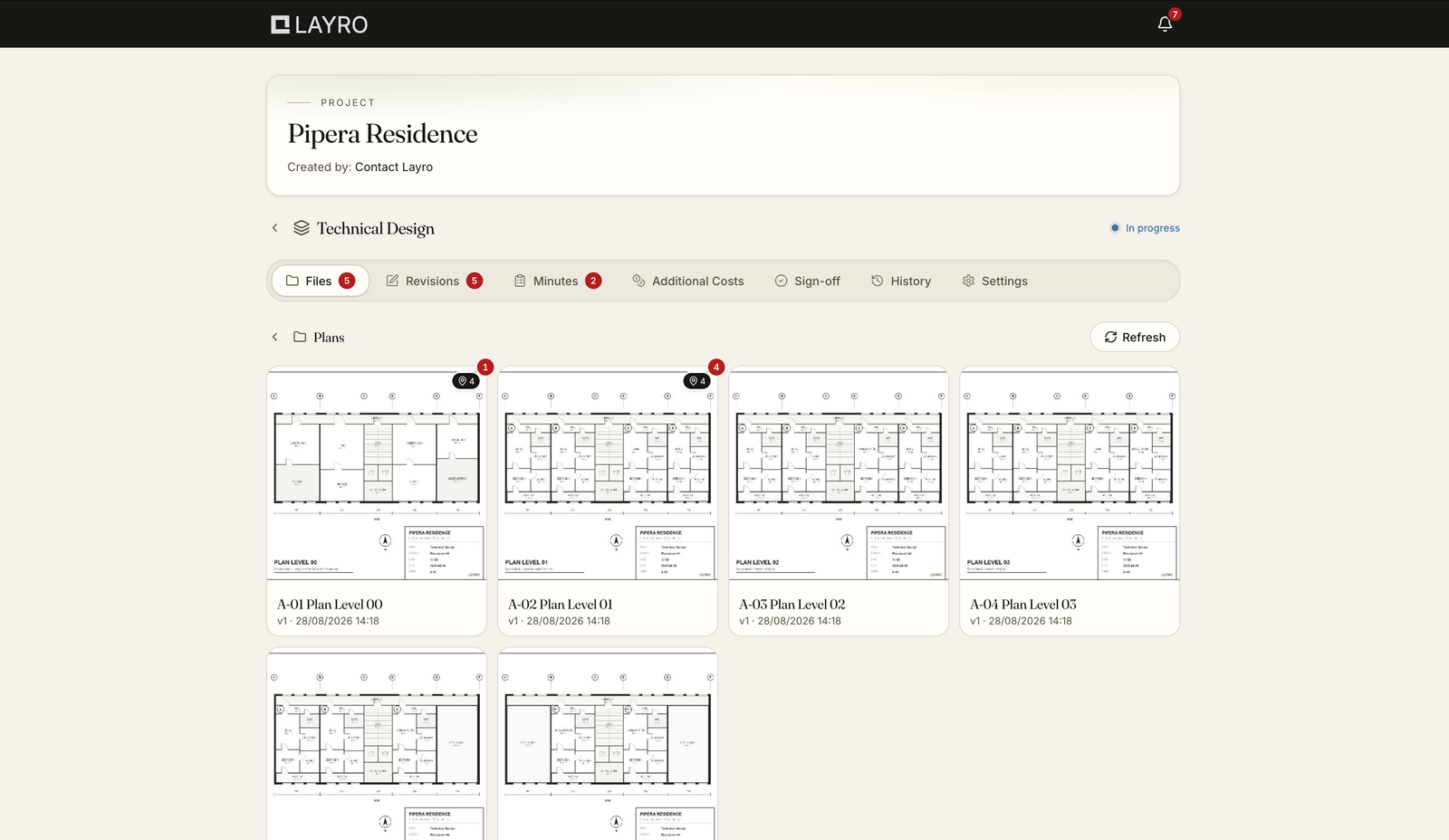
Images and PDFs, organised in folders. Layro suggests a structure that fits the project type. Every file carries versions: older ones stay accessible but turn read-only, so you always know which version a comment was made on.

03

Invite the client with a single link

The client gets an email with an access link to their project. No account, no password, nothing to install. At invite time you choose the language everything reaches them in — Romanian or English. One link, for the whole life of the project.

04

The client marks the exact spot

The client adds, with one click, the spot where they want a change. The discussion stays tied to the file, the version and the coordinate on the image or PDF page — not to an email you have to go and find.

05

Request approval and price it before you work

When a change goes beyond what you agreed, you send an approval request with a message and a variation cost. The client accepts or rejects by name, and a rejection requires a written reason. The price is settled before the change is implemented, not after.

06

Keep the costs per phase

Every accepted cost — from an approval or from a minuted decision — lands on one screen, with its source and an Awaiting payment / Paid status. At any point you can see how far the project has grown past the original contract.

07

Close the phase with the client’s sign-off

You request phase approval. Layro will not let you until every discussion and minute is resolved. While it sits with the client the phase is locked. If everyone approves it closes automatically; if someone rejects, they tell you why and the phase reopens for editing.

Features

What you actually get

Not a chat and a shared folder, but the objects an architecture project needs: discussions with a status, versions with rules, named approvals, and a log that cannot be rewritten.

What a discussion looks like

Click the drawing, exactly where the problem is

The discussion stays tied to the file, the version and the point on the drawing. Not to an email you have to go and find.

Furniture plan · ground floorv3

In progress

Move the island 20 cm

There is too little clearance between the island and the column.

AAndrei D.
01

Discussion pinned to the drawing

A click on the exact spot of an image or PDF page, with a title, a description and a discussion. Every discussion follows a clear path: created → in progress → client review → approved → completed, or rejected with a reason.

02

Versions with rules, not just newer files

A new version can only go up once the open discussions on that file are finalised. Earlier versions stay, read-only, and resolved discussions carry over to the new version.

03

Approvals with a cost attached

You send the request to the clients you choose, with a message and an optional variation cost. Each response is named and dated; a rejection always requires a written reason.

04

Meeting minutes the client signs off

What a meeting decided becomes a minuted decision with a title, the discussion and the conclusion, sent to the client to accept. It can carry a cost of its own.

05

Variation costs per phase

Every accepted cost gathers in one place, with its source and an Awaiting payment / Paid status, so you know what is left to invoice and what has already come in.

06

Phase sign-off

A phase only goes out for signing once everything open has been resolved. It stays locked while it is with the client, and closes automatically when they all approve.

07

A cryptographically verifiable record

Every event in the project joins a hash-chained log. One button confirms the chain is intact and that nothing was altered after the fact.

08

Notifications for action

A separate “needs your action” list and a daily email digest, sent only on days when something actually happened.

For your client

Your client doesn’t have to learn new software

The most common worry in a studio is that the client simply won’t use yet another platform. So the client side of Layro does one thing: it shows them what needs their answer, and lets them give it.

  • They arrive from a link in an email

    No account, no password to remember, nothing to install. The link drops them straight into their project.

  • They see only their own project

    No access to the rest of your portfolio, and no sight of phases you are still working on.

  • They get it in their own language

    Romanian or English — you choose at invite time, and both the emails and the interface follow.

  • They know exactly what is waiting on them

    A discussion, an approval with a cost, a minuted decision or a whole phase — all gathered into one “needs your action” list.

  • They approve or reject with a button

    A rejection requires a reason. That way you get an answer you can work from, not “I don’t like it”.

  • They are not overloaded with email

    One daily summary, and only on the days something actually moved in the project.

app.layro.ro / client portal
The Layro client portal
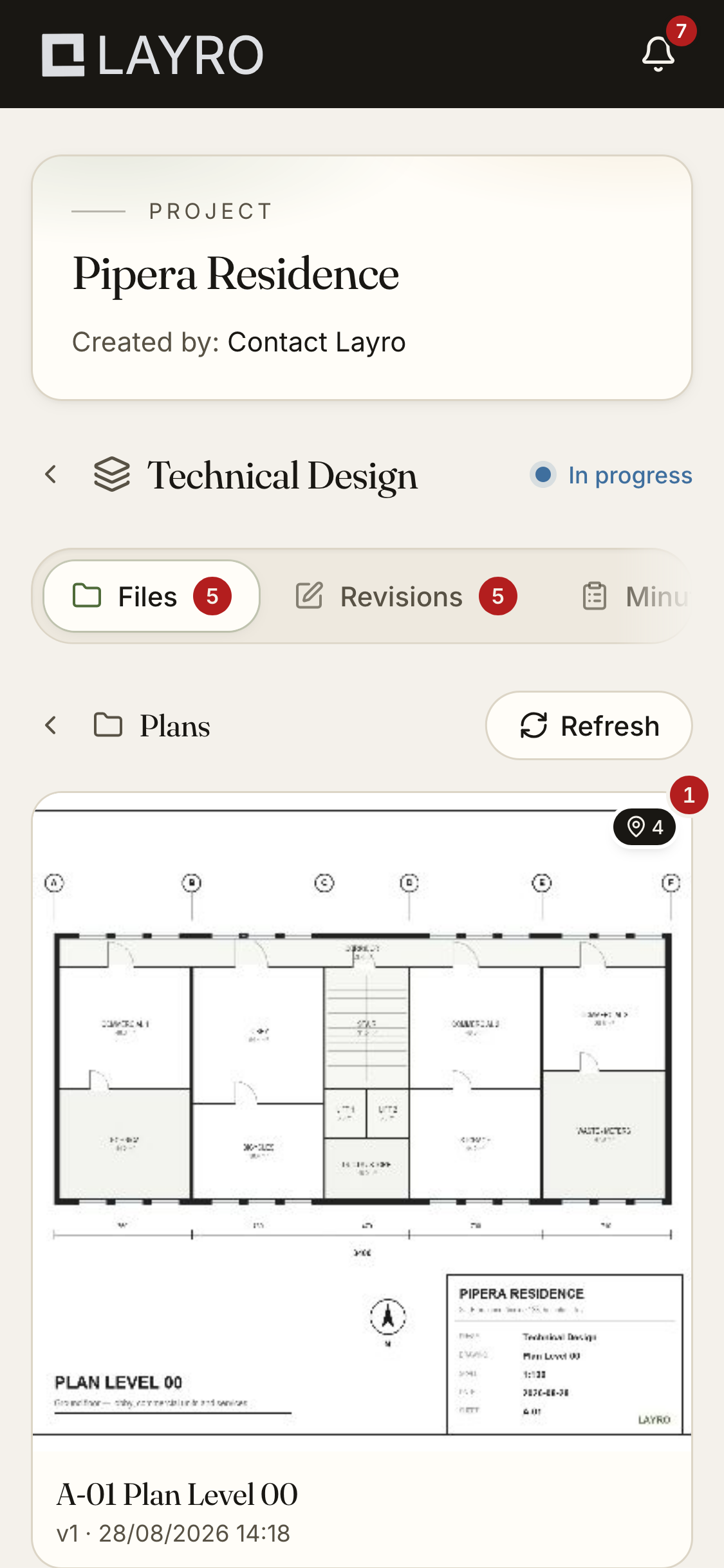
The Layro client portal on a phone

Evidence

The record is on your side

Architecture projects are argued over “who asked for what, and who approved it”. Layro keeps the answer, in a form that cannot be rewritten later.

01

A hash-chained log

Versions, discussions, comments, approvals, costs — every event is cryptographically linked to the one before it. One button confirms the chain is intact: neither your client nor you can change what happened after the fact.

02

Approvals with a name, a date and a reason

Every approval carries the name of the person who gave it and the moment they did. On a rejection, the reason they wrote stays attached to the decision.

03

Data hosted in the European Union

The application, the database and your uploaded files are hosted on AWS, in the Frankfurt region (Germany).

04

GDPR transparency, not just a checkbox

The privacy policy states exactly what data is processed, on what legal basis, how long it is kept and who else can see it. Your account can be deleted from inside the app.

Phase record

  1. Uploaded version v3a41f
  2. Added a discussion7c02
  3. Requested approval · +€110e938
  4. Andrei D. approved2b5d
  5. Phase completedf610

Chain intact — nothing was altered

Outcomes

What changes in practice

Not “better organisation”, but four things you feel within a month.

The price is agreed up front

A change has a cost before you execute it, and the client accepted it in writing. You stop asking for money for work already delivered.

No more digging through conversations

What was asked for sits on the drawing, at the version it was asked on. You stop reconstructing a project from a chat archive.

The end of a phase becomes predictable

A phase closes when every discussion is resolved and the client has signed. It stops stretching indefinitely.

You look different to the client

A visible, orderly process says more about a studio than any brochure — and it is what clients repeat when they recommend you.

Pricing

Start free, pay when the volume grows

Every plan includes the full flow: discussions, approvals, minutes, costs and the verifiable record. Only the volume differs — projects, storage, clients and file size.

Free

To try Layro on a real project, with no time limit.

Free

Start free

Included

  • 1 project
  • 2 GB storage
  • 2 clients per project
  • Up to 25 MB per file
  • The full flow: discussions, approvals, minutes, costs, a verifiable record

Starter

Recommended

For the architect running a handful of projects at once.

29/ month

Choose Starter

Included

  • 5 projects
  • 50 GB storage
  • 2 clients per project
  • Up to 100 MB per file
  • The full flow: discussions, approvals, minutes, costs, a verifiable record

Pro

For the studio that needs room to grow.

79/ month

Choose Pro

Included

  • Unlimited projects
  • 250 GB storage
  • 5 clients per project
  • Up to 250 MB per file
  • The full flow: discussions, approvals, minutes, costs, a verifiable record

Prices are in EUR and exclude VAT. You can change plan or cancel at any time, from inside the app.

FAQ

What studios ask before they start

Does my client need an account?

No. They get an email with an access link to their project. No account, no password, nothing to install. The link does not expire. If you want to revoke their access, you do it from the app.

What files can I upload?

Images and PDFs. Discussions attach to a point on the image or on a specific PDF page. Maximum file size depends on the plan you choose: 25 MB on Free, 100 MB on Starter and 250 MB on Pro.

Does Layro produce a quote or an invoice?

No. Layro keeps the record of the variation costs your client accepted, per phase, with the source of each and an Awaiting payment / Paid status — so you know exactly what is left to invoice. The invoice itself you raise in your own accounting software.

What happens when the free plan runs out?

It doesn’t. The Free plan is permanent: one active project, 2 GB and 2 clients per project. You move to a paid plan only when you need more volume.

Do I lose my projects if I cancel?

No. You keep access until the end of the period you paid for, then the account returns to Free plan limits. Existing projects and your clients’ access stay; only new projects and uploads pause until you are back within the limits.

Can I run several phases in parallel?

No, and that is deliberate. A new phase can only be created once the current one has been approved by the client. It stops you delivering the next phase on top of one nobody ever closed.

What happens to discussions when I upload a new version?

They have to be finalised first — resolved, or rejected with a reason. Resolved ones carry over to the new version, so on the current drawing you can still see what changed and why.

What languages does it work in?

The app and the client portal are available in Romanian and English. The client’s language is chosen at invite time, so you can work with a client abroad without changing how you work.

Where is my data stored?

On AWS, in the Frankfurt region (Germany). The database and your uploaded files stay stored in the European Union.

Open your first project in Layro

Create an account in a few minutes, upload your first drawings and invite your client with a link. The free plan keeps one active project, with no card and no deadline.

You can move to a higher plan or cancel at any time, from inside the app.